Register 5 Seats Remaining
Intro to eResources
Wednesday, October 21
2:00pm - 3:00pm
Alton
Program RoomHow to use the library's FREE electronic resources
Learn how to get started using the library's free digital resources in this introductory session. Find out how to access and use:
- OverDrive/Libby and Hoopla to read hundreds of thousands of digital books and magazines.
- Hoopla and Kanopy to stream a vast collection of popular and independent films, TV series, and The Great Courses online classes.
- PressReader to access newspapers and magazines from around the globe.
- CBC Corner to watch some of the best of Canadian and British TV shows (and movies, too!).
- LinkedIn Learning and Mango Languages to take free online classes on various topics, including world languages.
Browse BPL's FREE digital resources
Due to the nature of the program, we cannot troubleshoot individual issues with the apps during this session. If you are experiencing issues with your device, please call us at 905.639.3611, use our Contact Us form, or visit your nearest library location for help.
Accessibility
If you need an accessibility accommodation during this program, please register early so we can confirm arrangements a few days before your visit.
Alton
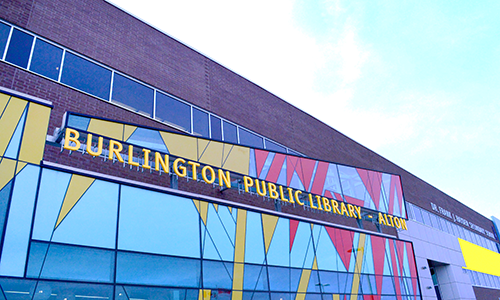
Located in a shared facility with Dr Frank J Hayden Secondary School and Haber Recreation Centre, Alton Branch Library operates jointly with the Halton Board of Education. The facility's official opening was celebrated on Saturday, November 23, 2013